Hanna system API documentation
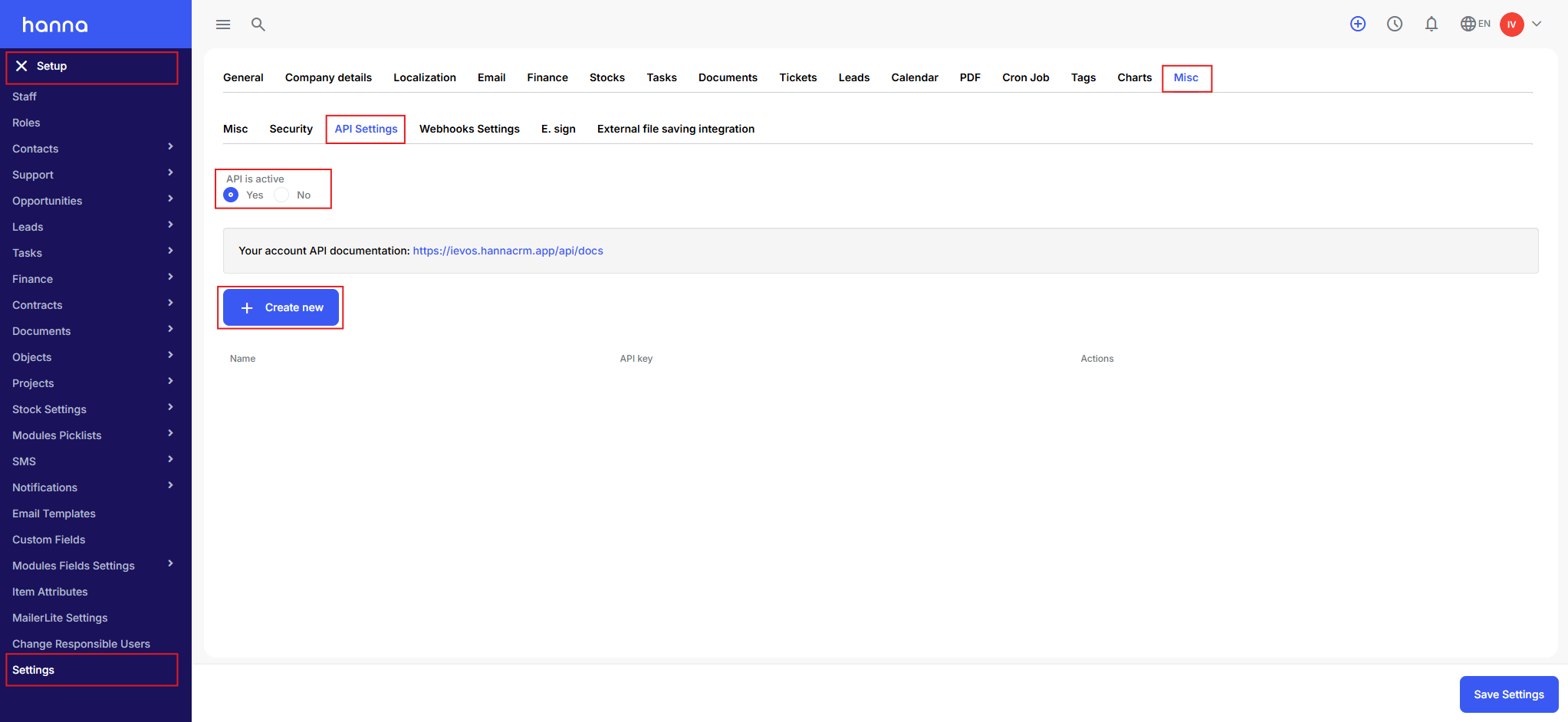
To access your account’s API documentation, please contact us by email and then go to System Settings - Settings - Misc - API Settings.
How to create a new API key?
- Employees with System Administrator rights can create an API key. Go to System Settings - Settings - Misc - API Settings. There, enable API activation and select Create new.
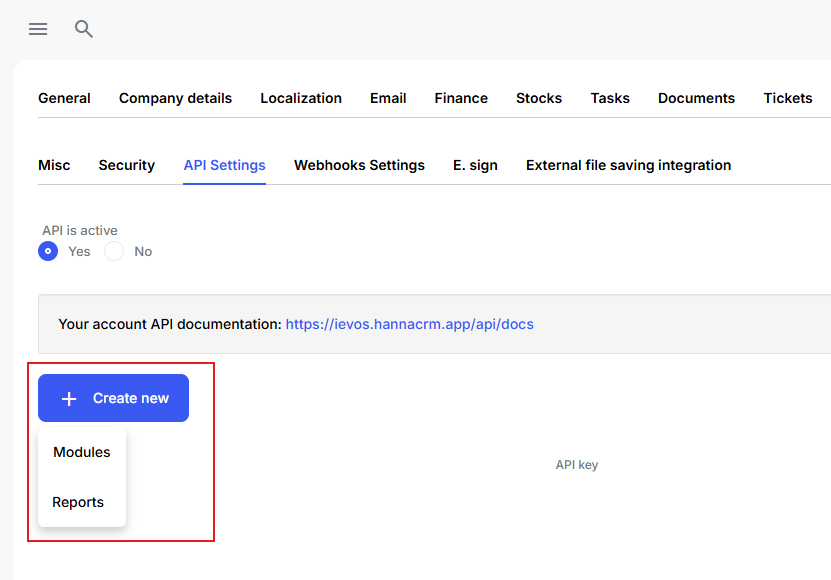
- Select whether the API will be used for modules or reports. A key for modules provides access to the information stored in the modules, while a key for reports allows you to access filtered data based on the settings of a created report template.
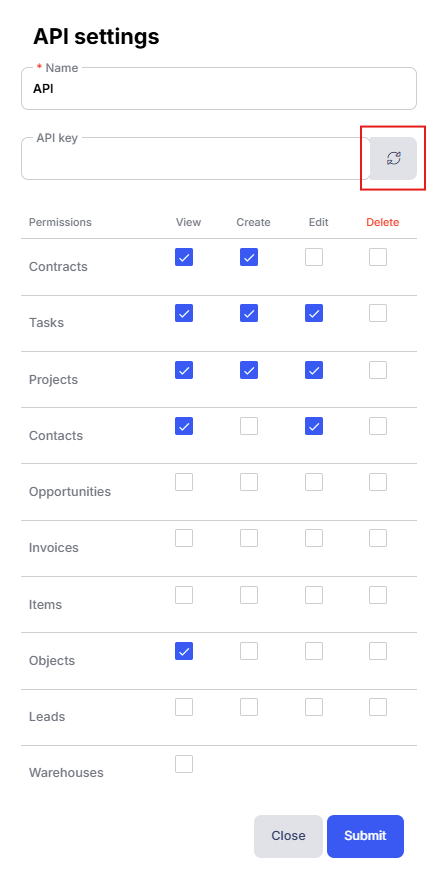
- Enter the API key name, select the permissions, and click the gear icon for the system to generate the key.
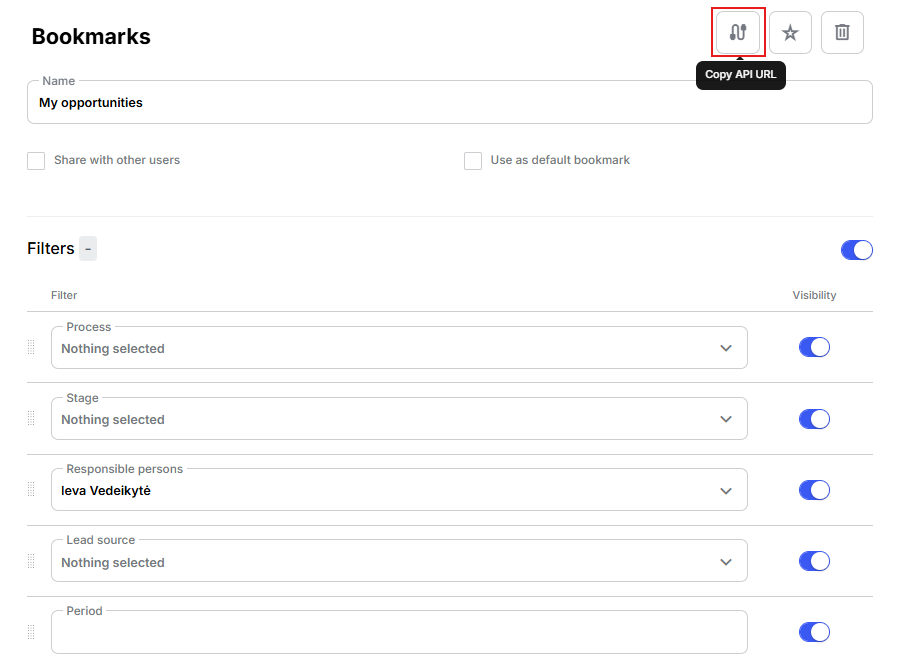
- To obtain the Reports API link, open the Reports module and select the relevant section (e.g., Opportunities). Create a new template or open an existing one for editing, then click the Copy API URL icon.